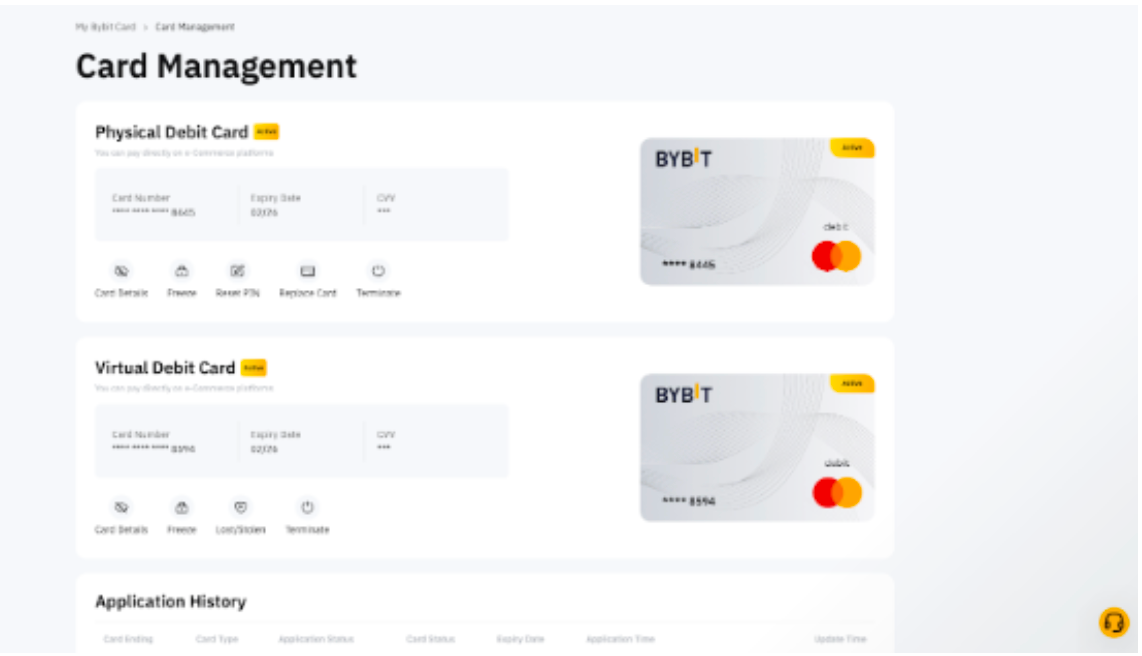
Here’s a detailed guide to apply for your Bybit Card.
How to Apply for a Bybit Card
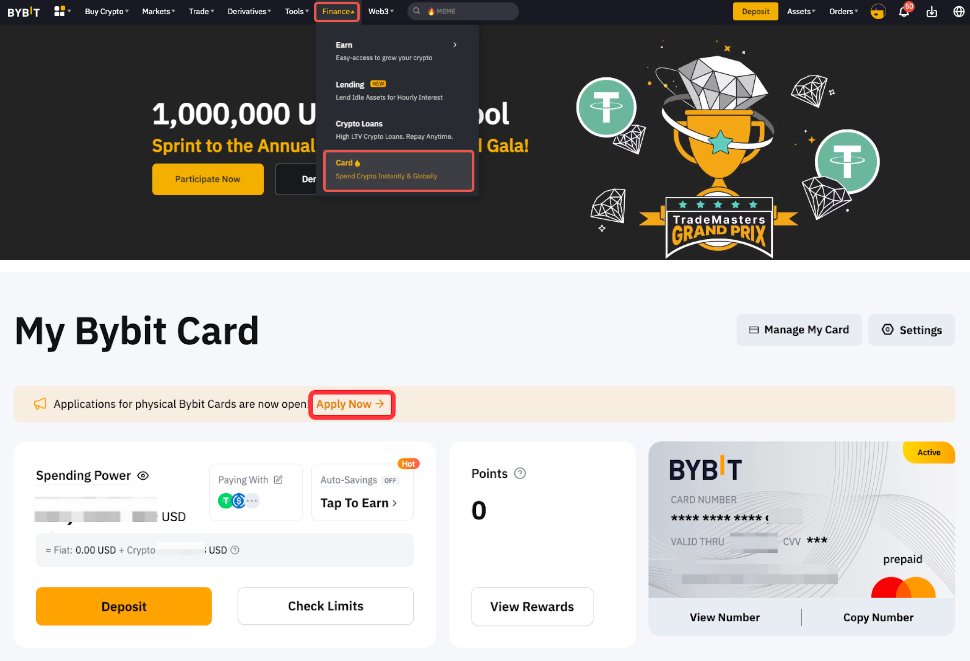
Step 1: Go to Finance → Card and click on Apply Now.
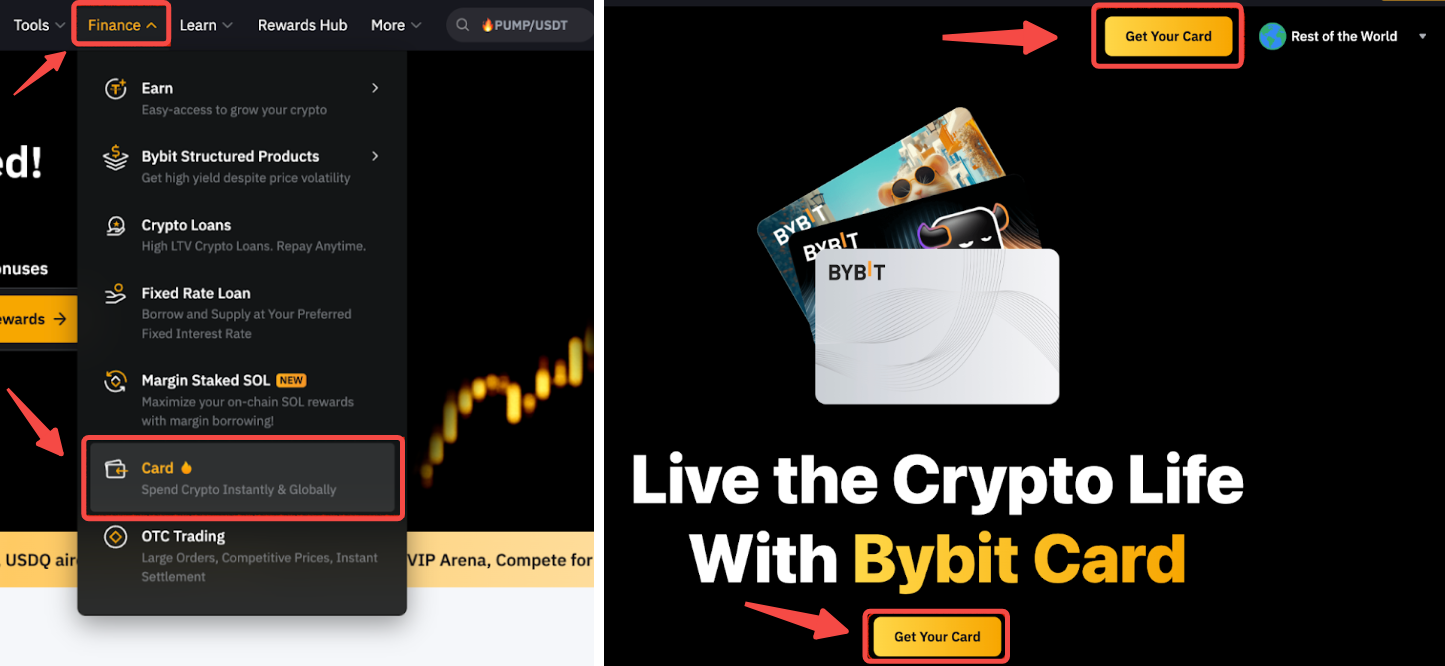
Step 2: Select your Country of Residence.
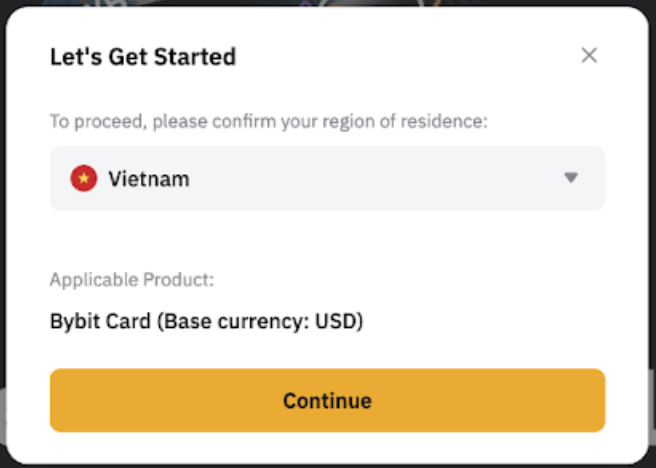
Note: Bybit Card is currently only available in limited countries. If your selected country of residence is not within the supported countries, we will register your interest now and inform you when Bybit Card is coming to your country.
Step 3:
a) Complete the requirement of Eligibility Check: Identity Verification and click Verify.
-
Accepted Proof of Identity includes a valid National ID, Passport and Driver’s License.
-
Users with an invalid Proof of Identity will be required to provide their Passport, and a valid Proof-Of-Address for the eligibility check.
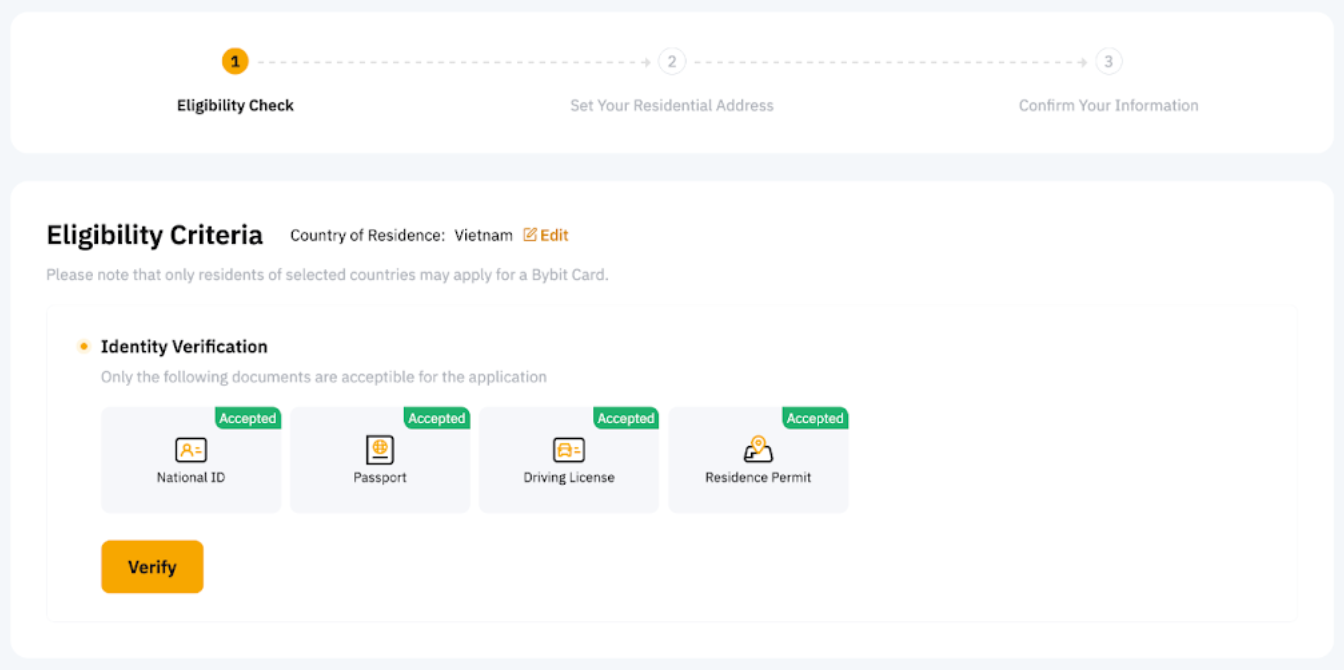
Note: Bybit Card has more stringent requirements for Identity Verification. Hence, you may be required to update your Identity Verification even though you have already completed it on your Bybit account previously.
b) Provide your residential address.
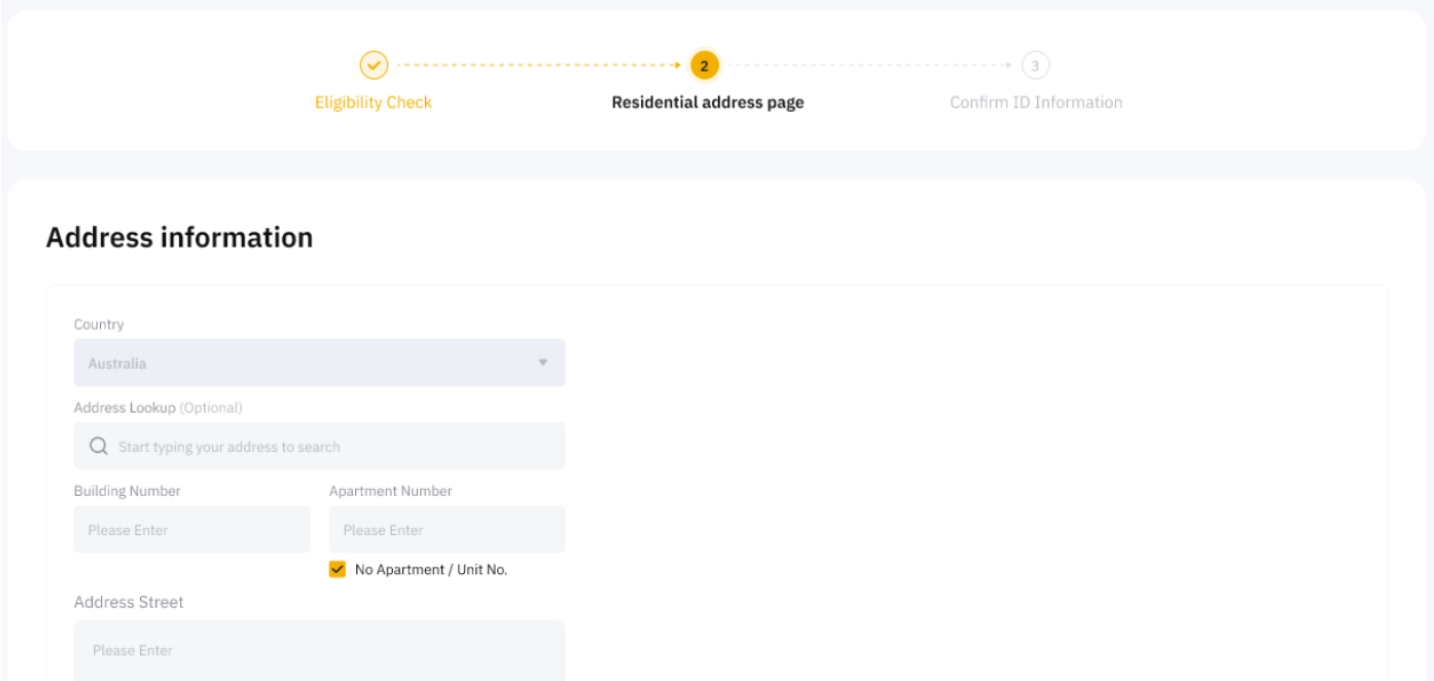
Step 4: Confirm (or set up) your registered email address. You will also be requested to set up Google Verification if you have not set it up yet.
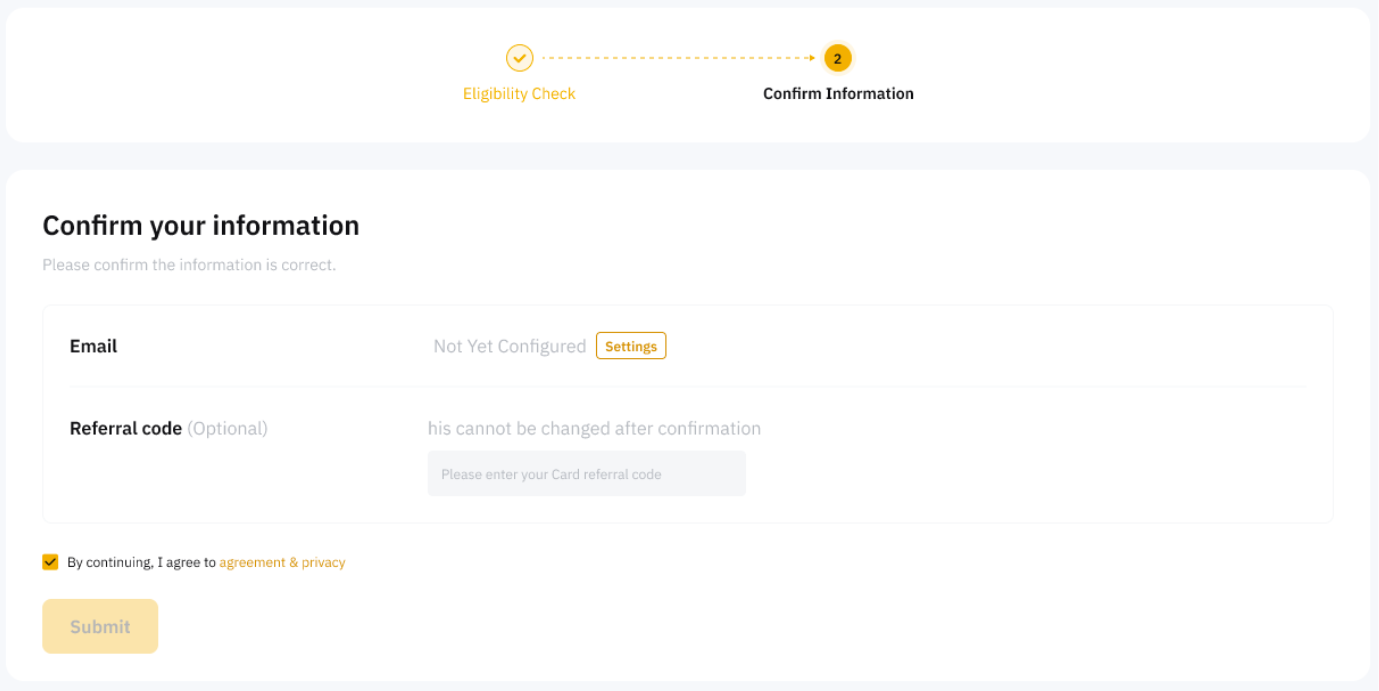
After successful submission, your virtual Bybit Card application will be under review. This process usually takes a few minutes, but in some cases, it can take up to 7 working days. You will be notified via email when your application is successful.
For a Physical Bybit Card
To apply for a physical card, you must first successfully obtain a virtual card.
Step 1: Go to Finance → Card. Click Apply Now on the physical Bybit Card Application banner.
Step 2: Edit the display name on your card. Please note that the display name can only contain up to 21 Latin characters and spaces.
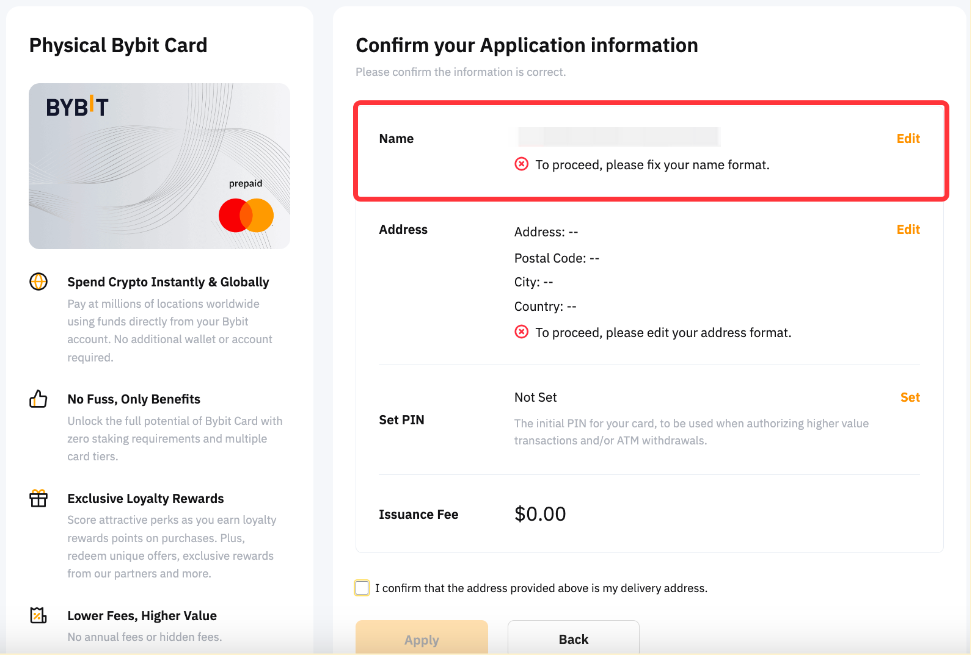
Step 3: Edit your shipping address. Please note that the shipping address should be in the same country as the provided Residential Address.
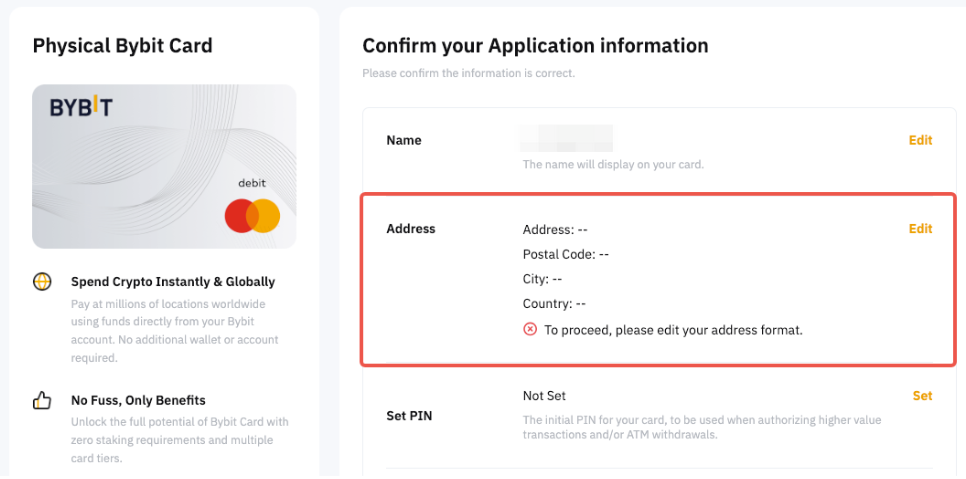
Notes:
— Bybit reserves the right to reject any address change request if the edited address is inconsistent with your virtual Bybit Card's Address Verification. We currently do not support submitting additional proof of address to change the shipping address.
— VIP users are entitled to apply for DHL delivery services. For DHL delivery issues or inquiries, please contact DHL Customer Service here for further assistance.
Step 4: Set and verify your PIN. The PIN will be used for ATM transactions and to make large purchases at retail merchants. You can still reset the PIN after activating the card. However, please keep your PIN securely and privately.
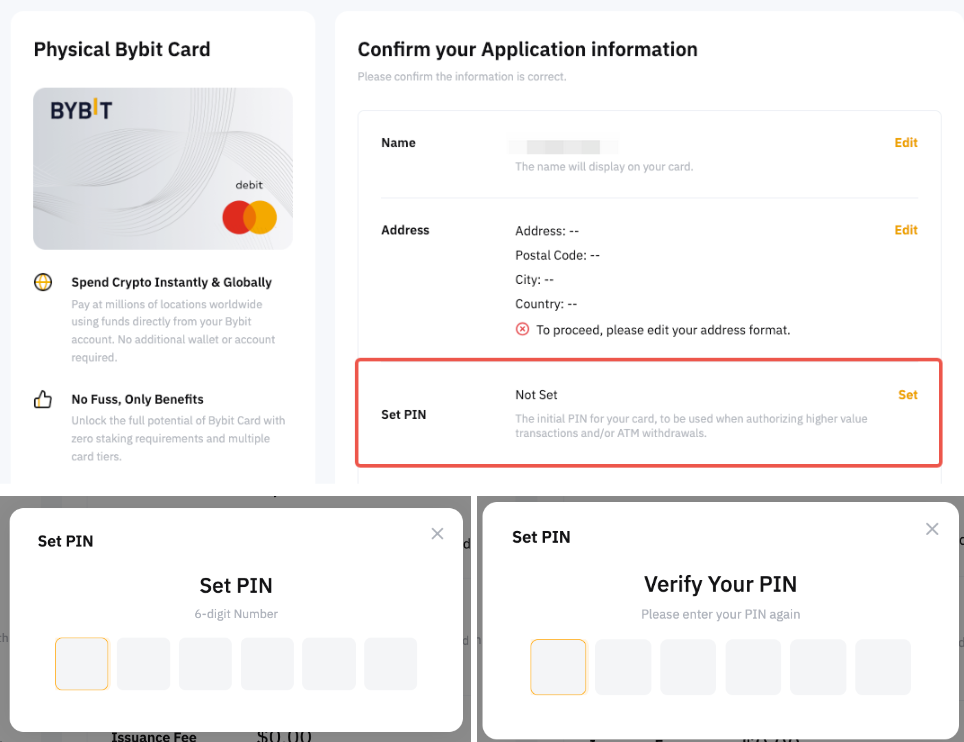
Step 5: Click on Apply after you have confirmed the details. Your address change request will be reviewed within 7 business days and you will be informed of the outcome via email.
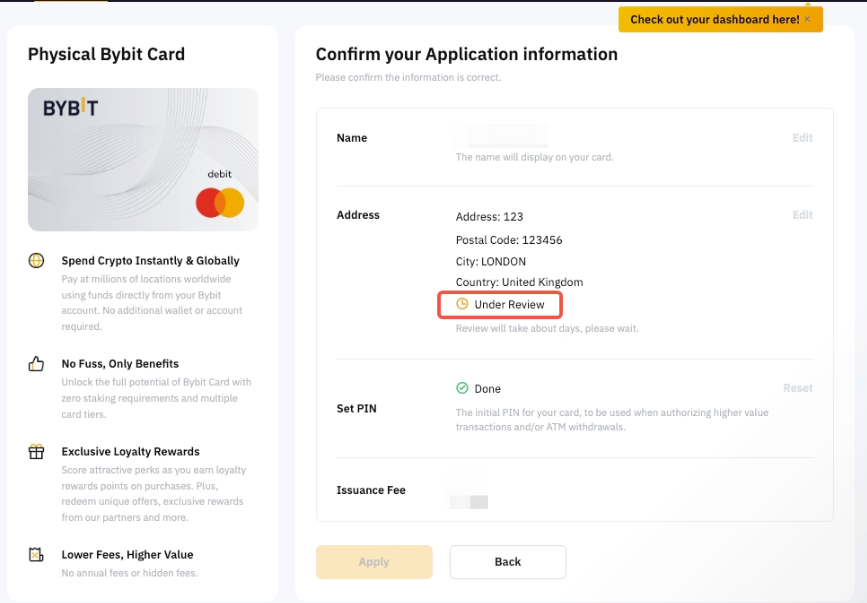
Tips: Add notification@bybit.com and complianceops@bybit.com to your address book to ensure our email enters your inbox.
How to Activate Your Bybit Card
Before unlocking immediate access to online and overseas transactions, please go to your Settings page and fill out your personal information which includes your Billing Address and Mobile Number. You will also be prompted to fill up this information when clicking on Card Details on the Card Management page if you haven’t done so.
Notes:
— The Billing Address and Mobile Number will be utilized for Bybit Card transactions and will operate independently from your Bybit account.
— Overseas payments do not require additional activation of your Bybit Card. However, a foreign exchange fee will be charged. For more information, please refer to Fees and Spending Limits (Bybit Card).
Once you have completed the verification process, your Virtual Bybit Card will be automatically activated.
For Physical Bybit Card
Once you receive your physical card, please activate your card before starting to use it.
Step 1: Go to Finance → Bybit Card and click on Manage My Card to enter the Card Management page.
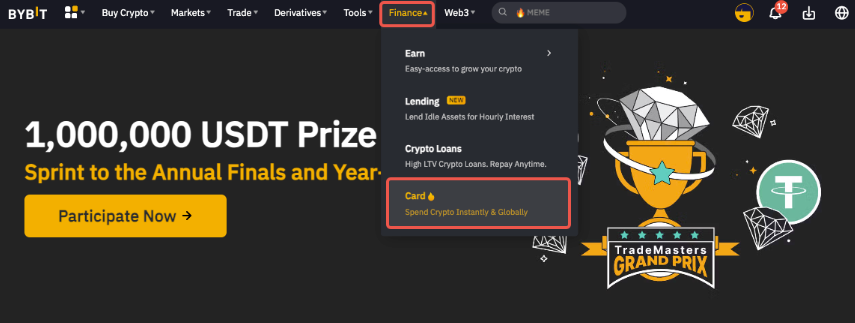
Step 2: Click on Activate to begin the activation process.
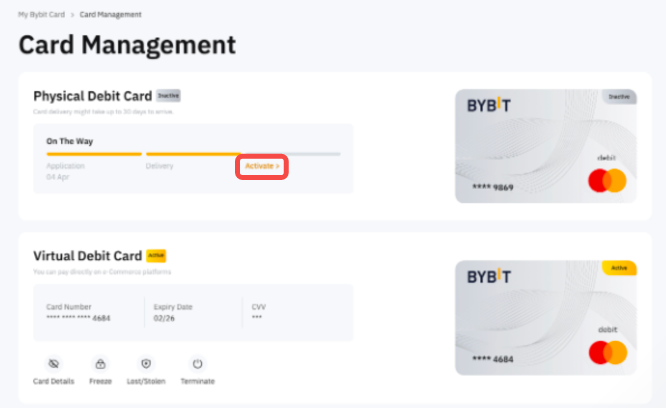
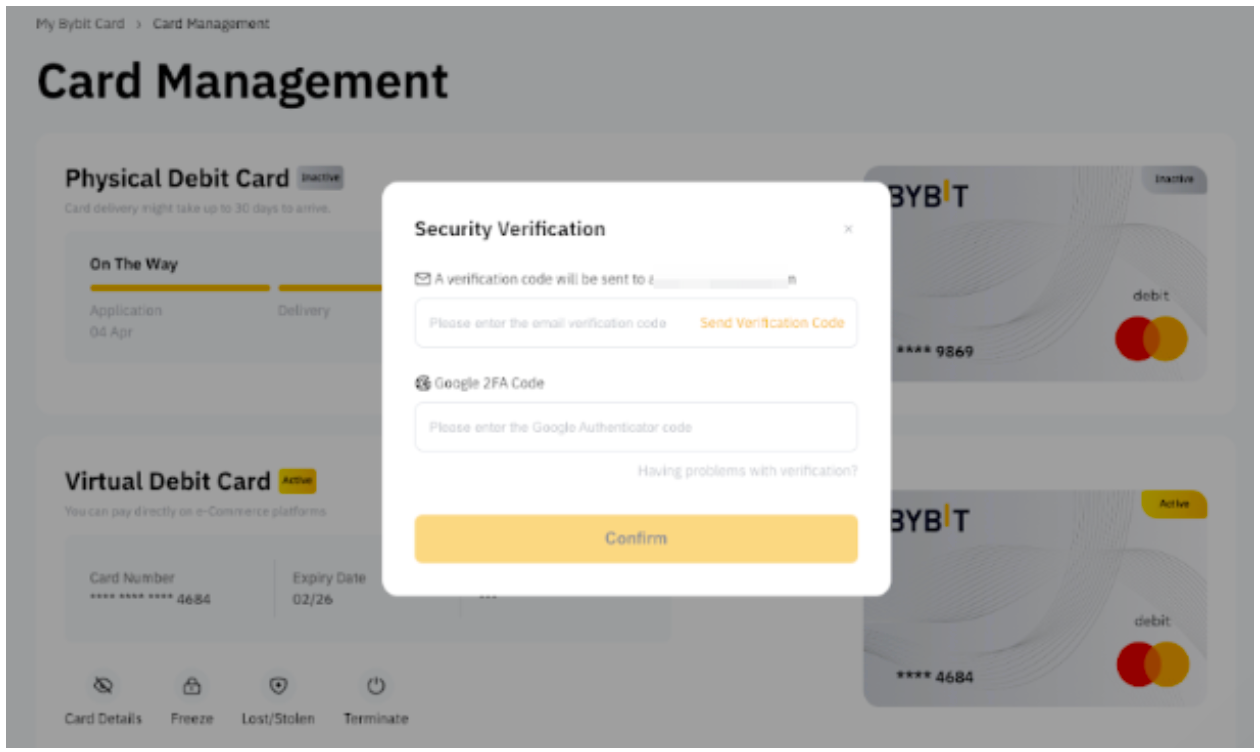
Step 3: Complete the security verification:
-
Email Verification: Click on Send Verification Code. An email containing the email verification code will be sent to your Bybit registered email address. Please enter the 6-digit email verification code.
-
Google 2FA Verification: Please enter the 4-digit Google 2FA code you’ve obtained from your Google Authenticator.
Then, click on Confirm.
Step 4: Set and verify your PIN. The PIN will be used for ATM transactions and to make large purchases at retail merchants. You can still reset the PIN after activating the card. However, please keep your PIN securely and privately.
Step 5: Enter the 3-digit CVV on the back of your physical Bybit Card and click on Activate and you can now use your physical Bybit Card! If you haven’t provided a Mobile Number and Billing Address yet, you need to input the information before entering the CVV.
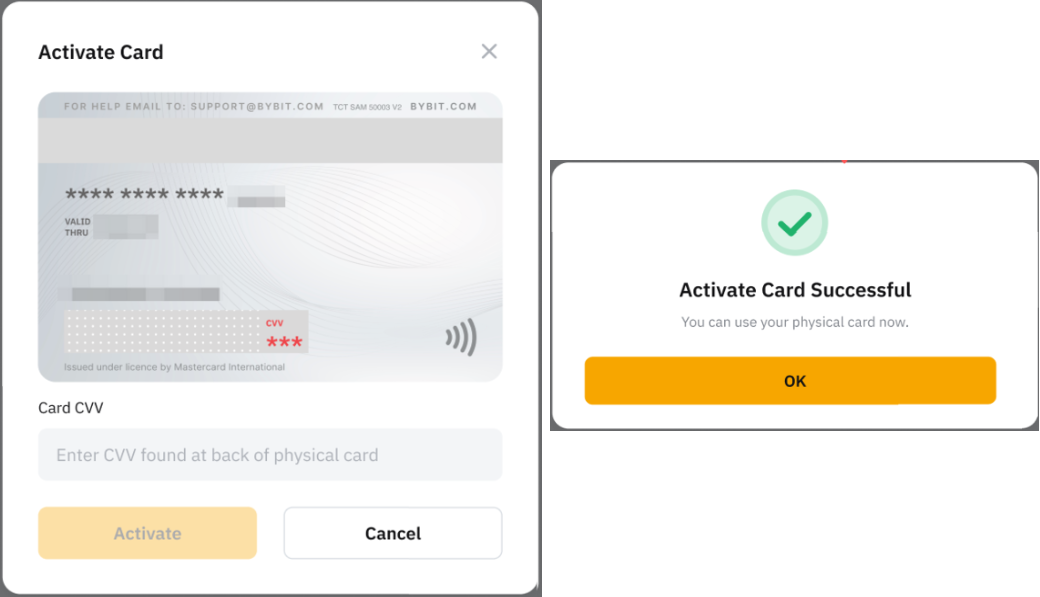
You can now manage both your virtual and physical Bybit Card on the Card Management page.